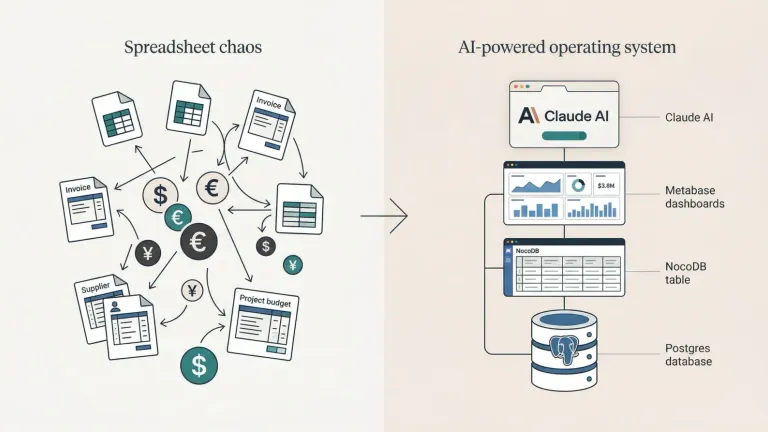
Building a Second Brain with AI: How I Transformed my Notion Notes Into My Operating System
Notion stays the human-facing layer while a local index and Obsidian-style markdown memory give my self-hosted AI agent fast, persistent context.


I’ve got a problem. A good problem, but a problem nonetheless.
After two years of religiously capturing everything in Notion (every meeting, every research note, every project update, every trade), I now have over 600 entries: 350+ notes, 130+ meetings, 11 active projects, and 70+ tasks. It’s a goldmine of context, but it’s also overwhelming. Finding the right information when I need it? That used to take time I didn’t have.
So I built an AI agent to manage it all for me.
My personal AI assistant uses OpenClaw, which I self-host on my office PC. It doesn’t just search my Notion workspace. It lives in it. And the results have fundamentally changed how I work.
Why Notion Alone Isn’t Enough
Notion is brilliant for humans. The visual databases, the mobile app, the collaborative features. I can pull up my trading journal on my phone while on the metro, or share meeting notes with my team in seconds.
But Notion is slow for AI.
Every connection to Notion takes 200-500ms. Querying multiple databases to find context means multiple seconds of latency. And the AI doesn’t know what exists until it queries, which means it’s flying blind and burning tokens each time.
For an AI agent that needs to check my calendar, scan my tasks, pull up relevant meeting notes, and draft a response in under 10 seconds, Notion’s API simply can’t keep up on its own.
The Hybrid Architecture: Best of Both Worlds
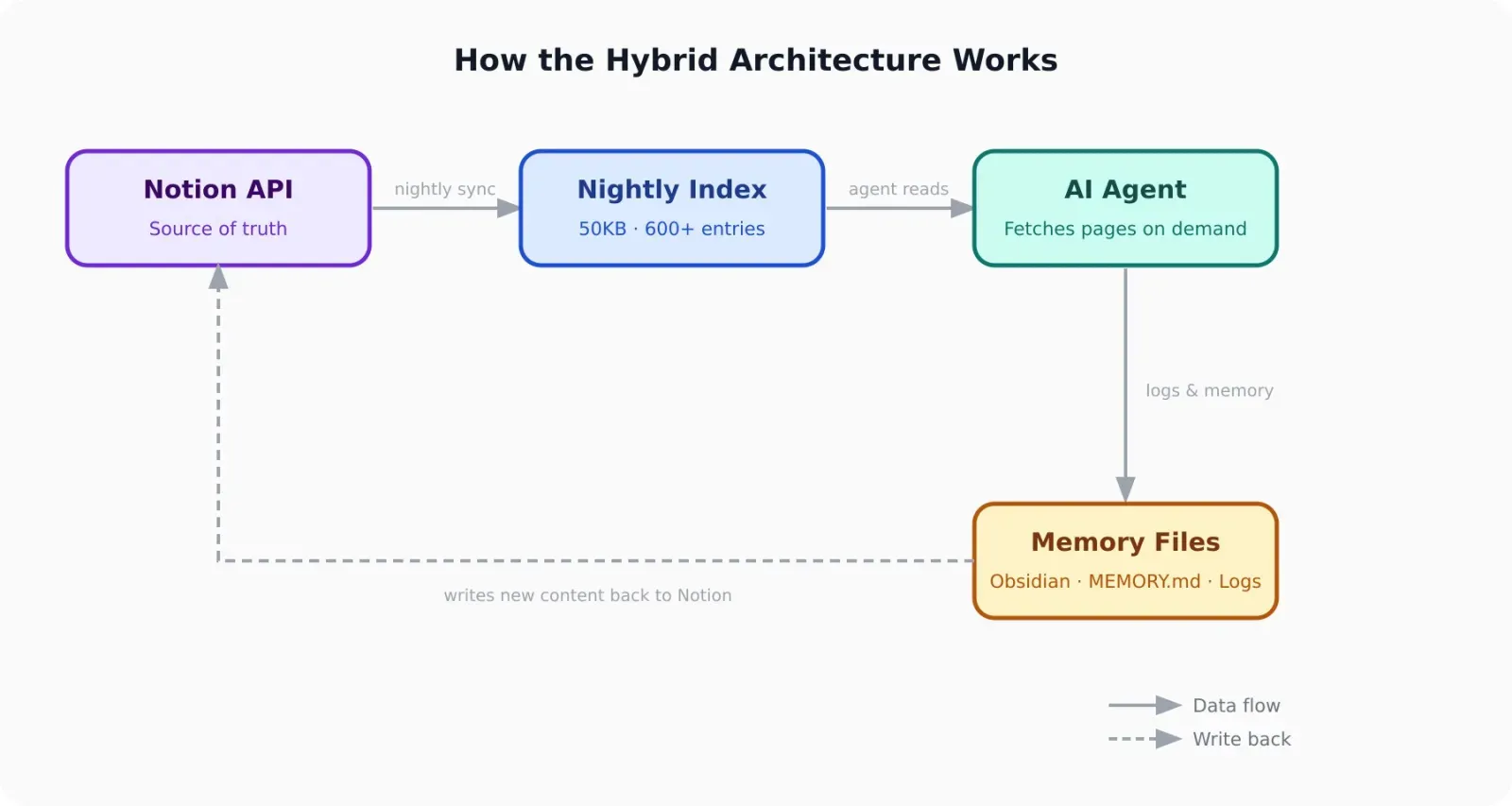
Here’s what I built instead: a hybrid system where Notion remains the human-facing layer, but a local index and document cache serve as the AI’s working memory.
The flow:
- All real data lives in Notion (single source of truth)
- A sync script rebuilds a local index file nightly, summarising all 600+ entries (title, type, tags, last updated)
- My AI agent reads the index first to understand what exists, then queries specific Notion pages via the API only when needed
- When it creates new content, it writes to Notion and the local index is refreshed on the next cycle
The index is the secret sauce. It’s a single file that tells the agent “you have a note about Topic X from last week” or “there’s a meeting with a partner contact on the 12th” without scanning 600 individual pages. The agent checks the index, identifies what’s relevant, then fetches only those specific entries.
Response time went from 5-8 seconds to under 1 second. And the agent actually knows what I have.
The Memory Layer: Where the Agent Lives
Here’s the part most people don’t think about when they talk about AI + Notion: the agent needs its own memory, separate from the human’s notes.
My workspace is also an Obsidian vault. The agent writes structured daily logs, long-term memory files, and knowledge summaries in plain markdown, all living in the same folder I open in Obsidian. This means I can browse the agent’s memory the same way I browse my own notes, and the agent can read mine.
The real power is wikilinks. When the agent logs a meeting or decision, it cross-references using Obsidian-style links:
- People:
[[Person A]],[[Contact X]] - Projects:
[[Project Y]],[[Project Z]] - Topics:
[[Copper Trade]],[[Grid Studies]]
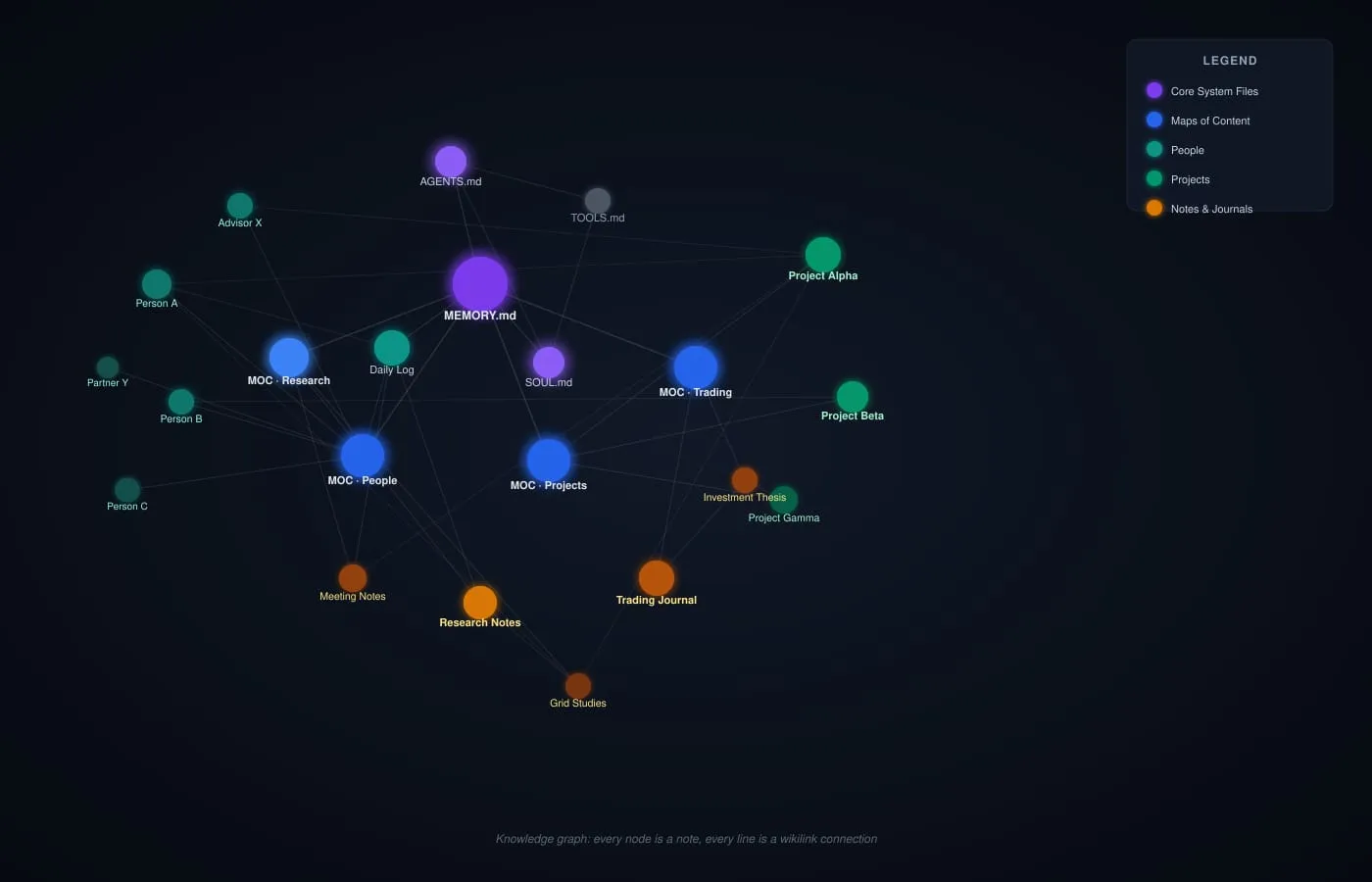
These links automatically create backlinks in Obsidian’s graph view. Over time, a knowledge graph emerges that shows which people are connected to which projects, which decisions link to which outcomes, which research informed which calls. I can see it visually in Obsidian’s graph view, and the agent can traverse it programmatically.
The agent maintains three levels of memory:
- Daily logs (
memory/YYYY-MM-DD.md) — raw notes from each session: what happened, what was decided, what’s pending - Long-term memory (
MEMORY.md) — curated, distilled insights. The agent reviews its daily files periodically and promotes what matters into long-term memory, the same way a person journals and then reflects - Maps of Content — index files per topic (one for a major project, one for trading, one for key contacts) that link related notes and provide a high-level map of a knowledge area
The result: the agent wakes up each session, reads its memory files, and has full context in seconds, without querying Notion at all for background context.
What My AI Agent Actually Does
This isn’t a chatbot that answers questions. It’s an operating system for my thinking. Here are the workflows running in the background:
Morning Digest (daily via cron):
- Scans my calendar for today and tomorrow
- Pulls up related meeting notes and project context
- Checks for urgent tasks due this week
- Sends a Telegram summary before I’m at my desk
Meeting Prep (30 min before each call):
- Finds previous meeting notes with the same participants
- Summarises action items from last time
- Pulls relevant project updates
- Drops a briefing in Telegram
Trading Journal (weekdays via cron):
- Fetches live prices for all open positions
- Pulls portfolio data from IBKR via Flex Query API
- Sends a Telegram summary flagging significant moves and position changes
- Logs context and decisions to the knowledge graph for future reference
Weekly Research Digest:
- Reviews all notes tagged “research” from the past week
- Identifies themes and key insights
- Drafts a summary for review
On-demand knowledge work:
- “Draft a blog post about X” (reads related notes, structures an outline, writes a first draft)
- “What did I learn about X topic?” (scans notes, meeting transcripts, summarises)
- “Prep a project update for the team” (pulls task completion, recent meetings, formats for email)
The agent doesn’t just retrieve information. It synthesises, drafts, and acts.
The “Operating System for Thinking” Concept
This isn’t about replacing my brain. It’s about extending it.
I still make all the decisions. I still do the creative thinking. But the grunt work (finding context, summarising information, tracking tasks, drafting first versions) happens in the background.
It’s like having a chief of staff who never sleeps, never forgets, and knows exactly where you left that one idea from three months ago.
What this means for personal productivity: most productivity advice focuses on habits, willpower, or apps. But the real unlock is systems that work while you’re not looking. My agent runs on cron jobs. It checks my email, scans my calendar, does research, and drafts summaries without me asking.
I wake up to a briefing. I walk into meetings prepared. I close trades with post-mortems already drafted. The cognitive load disappears.
The Tech Stack (For the Nerds)
If you want to build something similar:
- Notion for human-facing data (via API)
- Obsidian for the agent’s memory layer and knowledge graph (wikilinks, graph view, daily notes)
- Local markdown index for near-instant AI context (rebuilt nightly)
- OpenClaw as the agent runtime (open-source, self-hosted AI agent platform)
- Claude Sonnet and Haiku as the LLMs (Sonnet for heavy tasks, Haiku for lightweight crons)
- Cron for scheduled workflows
- Telegram for notifications and interaction
- yfinance + IBKR Flex Query API for trading data
The sync script is straightforward: fetch all Notion databases, rebuild the index with titles, tags, and metadata. The agent reads the index, fetches specific pages via API when needed, and writes new content back to Notion when creating entries.
Total setup time: a weekend. Return on investment: incalculable.

What’s Next?
I’m experimenting with voice interfaces (WhatsApp voice memos to the agent), smarter task prioritisation, and richer knowledge graph updates as the agent learns what I care about.
The vision isn’t a tool I use. It’s a system that runs my life.
If you’re sitting on a mountain of notes, tasks, and half-forgotten ideas, this is your sign. Build the scaffolding. Let the AI do the heavy lifting. Get back to thinking.
What’s your Second Brain setup? Are you using AI to manage it yet? Drop a comment or reach out on X.
Connect:
- Substack: charleshaworth.substack.com
- LinkedIn: linkedin.com/in/charles-haworth/
- X: x.com/Charles_Haworth