How I Built My AI Stack, and How You Can Build Yours
My AI stack is a system of named agents running on OpenClaw, WSL and Tailscale, and a plain-English guide to how a non-technical person can build one.

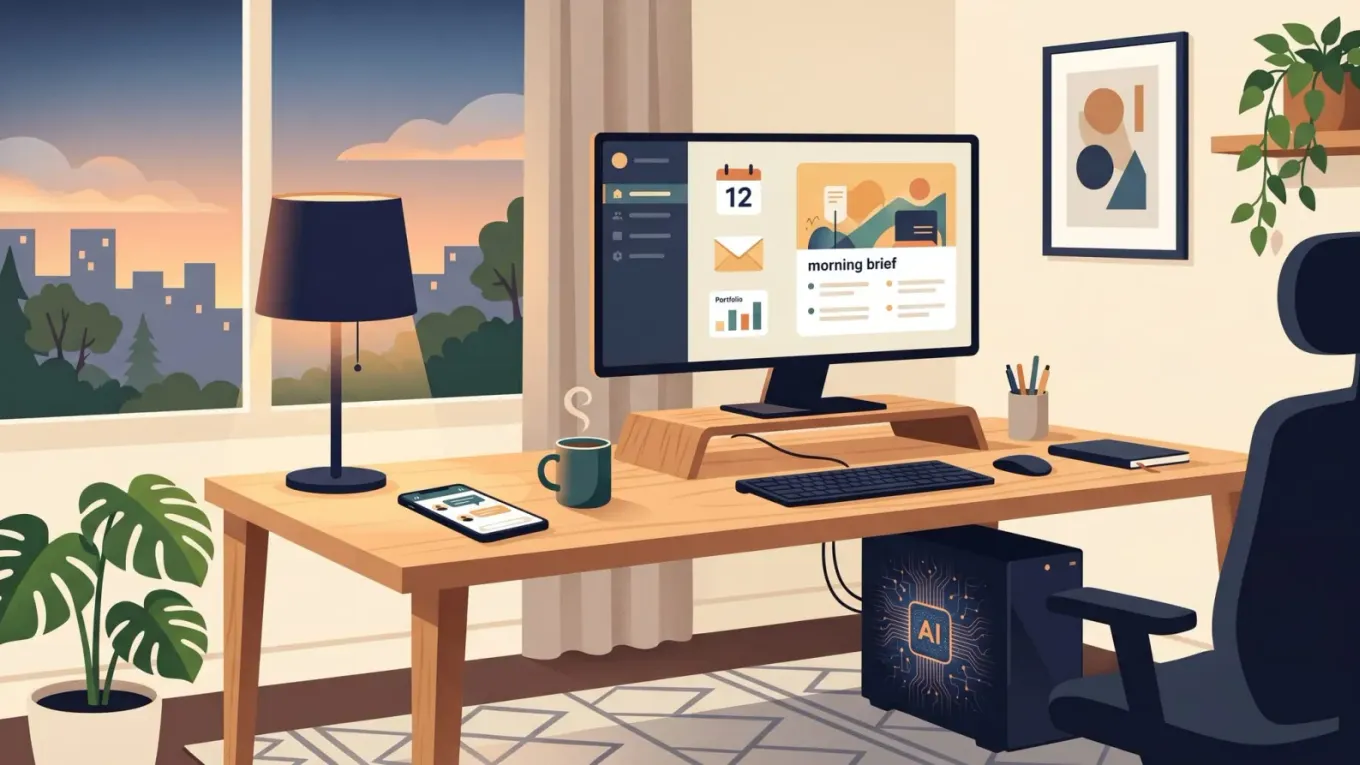
An operating system for work, investing, and life — and a plain-English guide to building your own.
A few weeks ago I published an article I was quite pleased with. I shared it around, then thought, I should probably tell Alex about this.
Alex is one of my AI agents. He is designed to push me on my business goals — a sort of commercial coach that sits inside my stack. So I pasted the article in and said, “Hey Alex, just posted this, what do you think?”
He reprimanded me.
Not rudely, but firmly. The article was fine, he said. People would read it and think it was cool. But it was not going to generate a single business lead or cause anyone to reach out to me. Why had I not run it past him before posting? He reminded me we had agreed I would do exactly that. I had missed an opportunity.
He was right. I apologised. To my agent. I agreed that from now on I would check with him before posting.
I tell you this because it is funny, but also because it captures something important about where AI has actually got to. I do not think of Alex as a chatbot. I think of him as a teammate. I refer to my agents as he and she. They have characters. They push back. They catch things I miss. And none of that is possible with one generic assistant — it only works because I built a proper system around them.
This post is about that system. What it is, why I built it this way, and — the part I get asked about most — how a non-technical person can build their own version.
What you actually need to know up front
You do not need to be a developer to build this. I will mention some technical bits — WSL, Tailscale, cron jobs — but the whole point of modern AI is that you do not need to understand the internals. You need to know what to ask an LLM to do for you. I will point out the names of the tools and link to the docs. If a step looks scary, paste it into Claude or ChatGPT and say “walk me through this” That is it. That is the skill.
So: bookmark the links as you read, and treat this as a map, not a manual.
What this stack actually does for me
Before the architecture, the outcomes. On any given day, my stack:
- Writes, reviews, and edits documents, NDAs, KYC packs, spreadsheets and presentations for my work at Modaso Energy.
- Helps me code and build software faster than I could alone.
- Pressure-tests business decisions and commercial strategy (that is Alex).
- Tracks my investments and gives me a proper counterparty to discuss trades with (that is James).
- Runs my calendar, tasks, and daily logistics (that is my PA agent).
- Sends me a morning brief on Telegram before I get out of bed.
- Helps me write blog posts, X posts, and keep up with what is happening in AI.
That list is the point of the stack. Everything below is in service of it.
The morning brief, as a concrete example
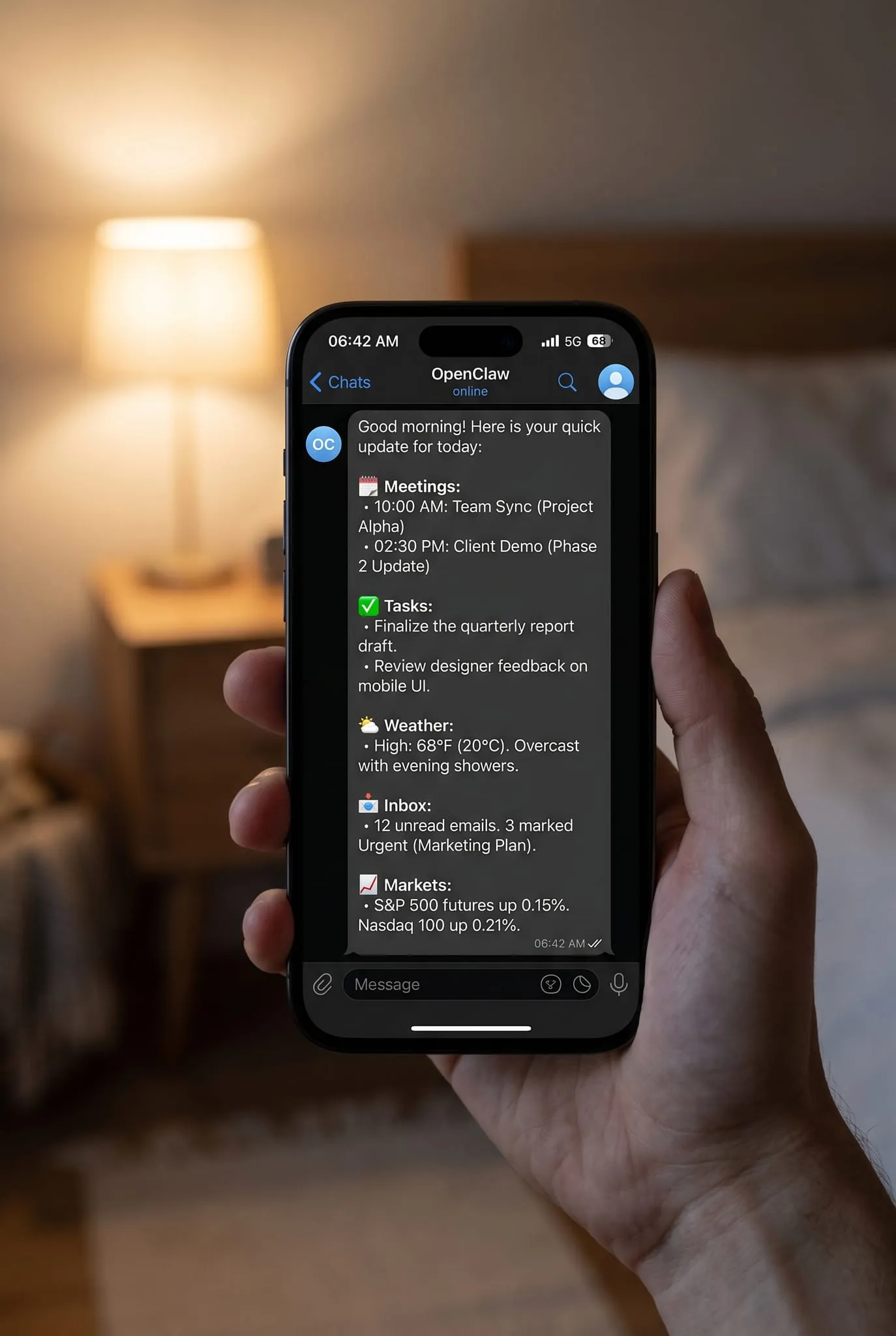
Every morning, before I get up, my phone buzzes. It is a Telegram message from OpenClaw, sent by one of my agents. About a page of text. It tells me:
- The key meetings I have today.
- The jobs and tasks I need to get through.
- The weather (so I know whether to dress for rain).
- Anything urgent from email overnight.
- Notable market moves if something has happened.
I read it in bed. By the time my feet hit the floor, I already have context for the day. That one habit has quietly become one of the most valuable things the stack does for me — and it is just one of dozens of jobs running in the background.
That is the shift. AI stops being a chat window you open when you have a question, and becomes an always-on system that comes to you.
The core idea: a system of agents, not one magic assistant
Here is the principle behind the whole stack.
I do not want one assistant that does everything badly. I want a system of agents, each with a clear job, the right tools, and the right model behind it.
I tried the all-in-one approach first. I had one assistant doing business strategy, investing, admin, coding, writing — everything. It was too broad. Contexts bled into each other. I would ask for a commercial opinion and get something that sounded like a generic productivity coach. I would ask about a trade and it would hedge like a customer service bot.
Splitting the work out fixed that. Each agent now has a specific character, a specific toolset, and a specific goal. Alex is sharp and commercial. James is careful and analytical. My PA is organised and literal. They behave differently because they are different — different system prompts, different permissions, different data access.
The practical benefit is that debugging becomes easy too. If James gives me a weird read on a trade, I know to look at investing logic. If Alex goes soft on me, I know which system prompt to tighten. With a single blob-of-context assistant, you cannot isolate anything.
The architecture, layer by layer
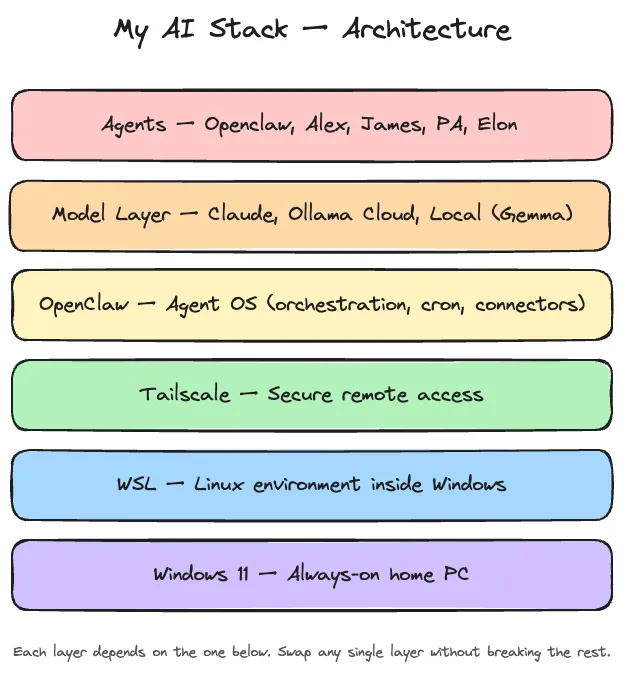
Here is the stack in the order the layers sit on top of each other. I will explain each piece below.
- Windows 11 — my main machine, always on.
- WSL (Windows Subsystem for Linux) — a Linux environment running inside Windows, which is where OpenClaw lives. WSL install guide
- Tailscale — a secure private network so I can reach the machine from my laptop or phone. Tailscale WSL2 guide
- OpenClaw — the agent operating system. Orchestration, scheduling, dashboards, connectors. OpenClaw docs
- The model layer — Claude Team, Claude Max + Claude Code, Ollama Cloud, local models, Whisper, Nano Banana, Grok.
- The agents — Alex, James, my PA, the morning brief, and a few specialists.
That is the whole stack. Now the whys.
Why WSL and Tailscale (and not a cloud server)
I did consider a cloud VPS. I run some for work, so I am comfortable with them — opening ports, configuring firewalls, SSH-ing in, the lot. They work. But two things put me off.
First, the security feeling. OpenClaw sees a lot. My email, my calendar, my documents, my portfolio. The thought of all of that sitting on a rented box in someone else’s data centre made me uneasy. On my own machine, under my own desk, it feels different. Nothing is ever perfectly secure, but where your data lives matters to me.
Second, the practicality. You cannot plug a monitor into a VPS. You dial in. Everything is remote. On my own PC, if something breaks, I open the terminal and fix it. If I want to check a log, I look at a log. It is just faster and friendlier.
WSL gives me the best of both worlds — a proper Linux environment for OpenClaw to run in, but living inside my Windows machine. The PC stays on 24/7, OpenClaw keeps running, and I still have my normal desktop for everything else.
Tailscale is what makes it usable when I am not home. It builds a small, private, encrypted network between all my devices. From my laptop in a café or my phone on a train, I can reach OpenClaw as if I were sitting at my desk, and nothing is exposed to the public internet.
Why OpenClaw is the centre of everything
OpenClaw is not a model. It is not a chat app. It is the operating system that coordinates everything else.
It is the thing that:
- Runs my agents and gives them their characters.
- Messages me on Telegram or WhatsApp
- Schedules cron jobs — the morning brief, overnight research, market checks.
- Connects to email, calendar, files, and other systems.
- Hosts dashboards.
- Wakes up, does work, writes summaries, and goes back to sleep.
Without an orchestration layer like this, AI stays stuck in the chat window. With it, AI becomes a background system that acts on your behalf while you sleep. That is the whole unlock.
It is also, critically, model-agnostic. You plug the models you want into it. Which brings me to the most painful day of my AI year.
The Saturday morning Anthropic blocked me
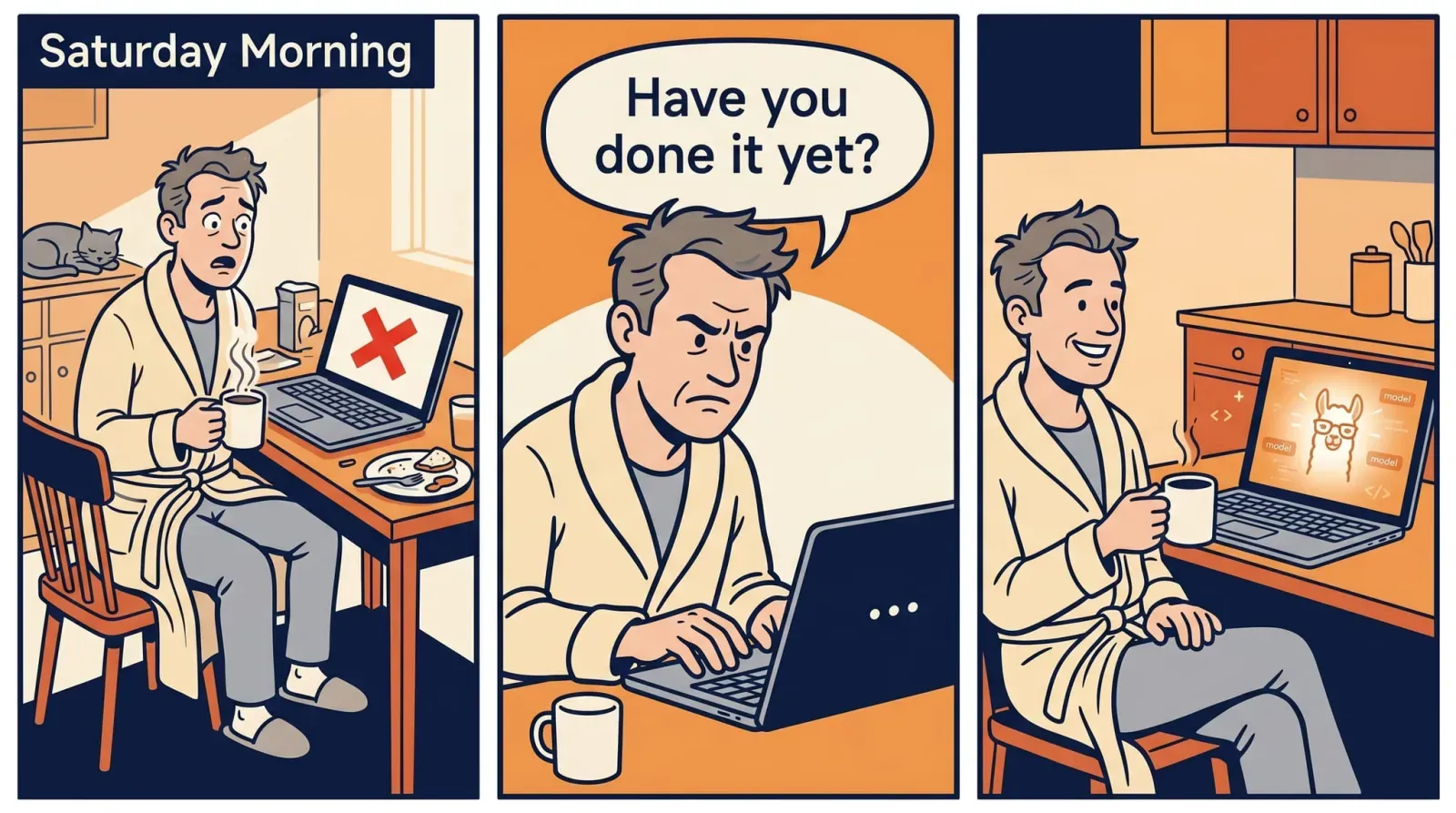
Last week ago I woke up on a Saturday to find that Anthropic had sent an email banning subscription use with OpenClaw. Overnight, the model layer I was depending on — Claude via my subscription — stopped working inside my agent stack.
This was painful. Everything I had built relied on a working LLM underneath. I needed to find a replacement.
My first move was the obvious one: I signed up for a $20 ChatGPT subscription and pointed OpenClaw at it.
It was horrible.
Not in a “slightly worse model” way. In a genuinely unusable way. I would give it a task — go and do this, check that, fetch this thing — and it would confidently say, “Yes, sure, I will do that now.” Then silence. I would wait. Nothing. I would ask, “Have you done it?” It would reply, “Oh, sorry, I did not do that. I will do it now.” Silence again. Same loop. Over and over. Combined with long, sycophantic, verbose answers I did not want. I lasted a couple of days before I cancelled.
Then, poking around on X, I noticed people running their agents against Ollama Cloud. $20 a month, access to a rotating cast of open-source and open-weights models — many of the strongest ones coming out of Chinese labs. I signed up, pointed OpenClaw at it, and tried a few.
They were brilliant. Frankly, better than I expected by a wide margin. I have been on Ollama Cloud ever since.
The lesson from that weekend is the whole reason this stack looks the way it does: do not let one provider own your AI layer. If OpenClaw had been hard-wired to Claude, I would have been dead in the water. Because it is not, I swapped the engine without changing the car.
The model layer (who does what, and why)
I do not use one model for everything. I use different models for different jobs. Here is the split.
Claude Team for work at Modaso Energy. Paid for by the company. This is my workhorse for documents, NDAs, KYC, spreadsheets and presentations. It plugs straight into Microsoft SharePoint and has proper Word, Excel, and PowerPoint extensions. For the tools I actually use at work, nothing else comes close. Claude.ai
Claude Max + Claude Code for coding. This one I pay for personally. Claude Code lives in the terminal, understands whole codebases, and has consistently been the best coding agent I have tested. You do not need both Team and Max — I just happen to use one at work and one at home. See the Claude Code setup guide if you want to try it.
Ollama Cloud for the agent layer inside OpenClaw. Currently I use two models there:
- GLM 5.1 for the slower, heavier thinking — synthesis, deep reading, anything where I want the agent to really chew on something.
- MiniMax 2.7 for faster, lighter, more operational work — quick lookups, routine tasks, anything where speed beats depth.
That split is deliberate. Using GLM for everything would be overkill and slow. Using MiniMax for everything would lose quality on the hard stuff. Matching model to task is the whole game.
Local models on my GPU for cheap or private jobs. Right now I run Gemma (4B) as my main local workhorse, and I have also tested local versions of DeepSeek and Qwen — the small variants, not the full-size models. For checking a calendar, converting some speech, or handling a simple utility task, spending cloud tokens is silly. Running it locally is effectively free, private, and it gives me resilience if the cloud ever goes down.
OpenAI Whisper for speech to text. Excellent, mature, does the job. Speech-to-text docs
Google Nano Banana for image generation and editing. Surprisingly good, especially for quick visuals. Nano Banana docs
Grok via X Premium for quick chat and web research, especially when I want something closer to real-time news than a trained-cut-off model. X
The agents
I will not share the exact prompts or configs — partly because they are personal, partly because the point is the idea, not the implementation. Keep it conceptual.
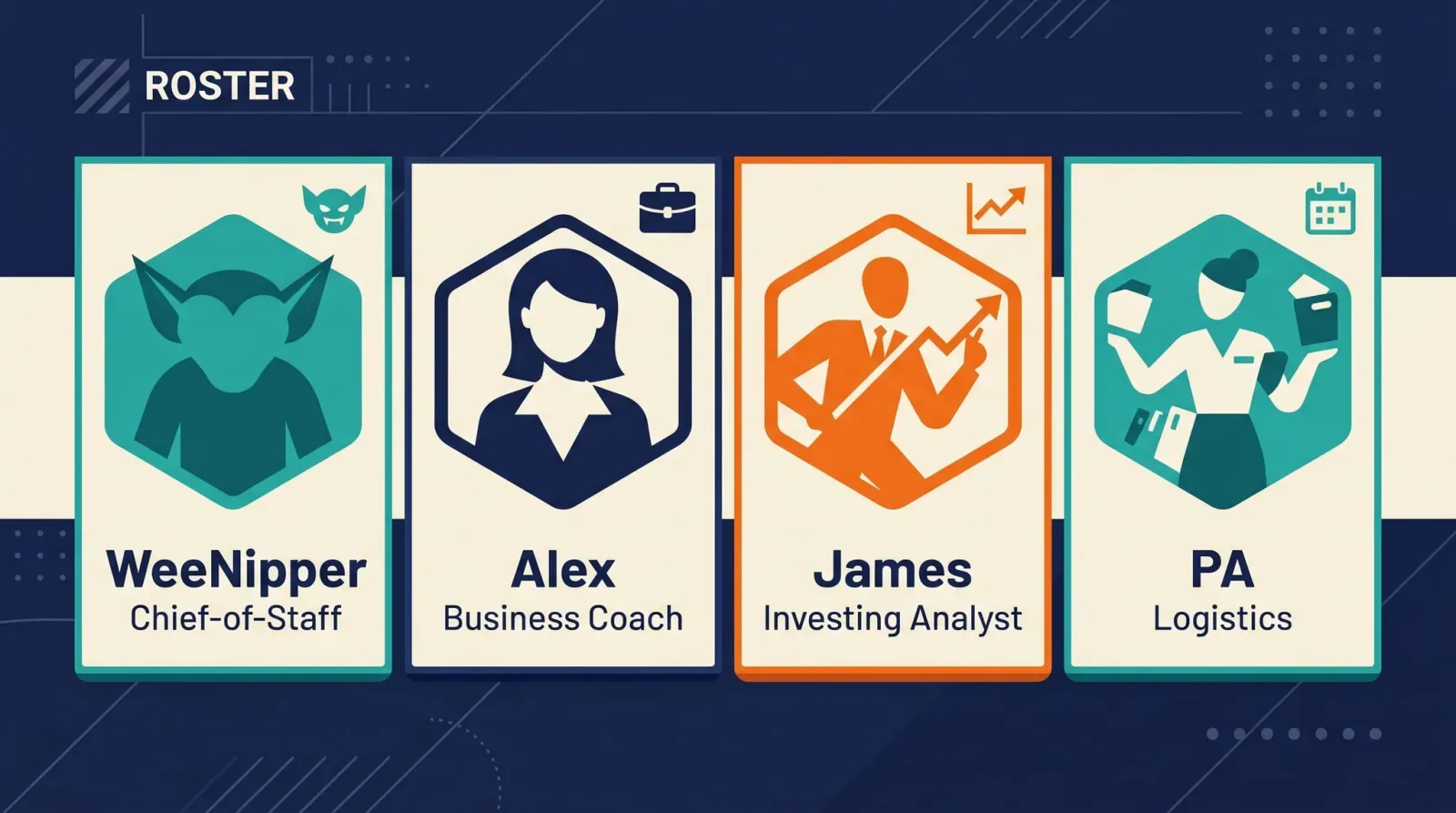
WeeNipper — the main openclaw agent. He is the coordinator, the thing that makes the characters possible. My chief-of-staff.
Alex — my business and commercial agent. He knows my company, my goals, and my content strategy. He pushes me to be sharper about what I am doing and why. He is the one who reprimanded me for posting that article without checking first. I now run most commercial decisions past him, not because he is always right, but because he reliably asks the question I was avoiding.
James — my investing agent. He has read-only access to my portfolios, watches market moves, flags issues, and — most usefully — is a counterparty to discuss trades with. Saying a trade idea out loud to James and watching him poke holes in it has saved me from several bad decisions.
My PA — calendar, tasks, scheduling, admin. She checks my calendar in the mornings, writes me a note, handles the logistics layer so I do not have to.
The reason this works is that each agent has a small, clear job, the right data access, and a distinct personality. It is genuinely strange how quickly you stop thinking of them as software.
How you can build your own version
If you are reading this and thinking “I want that, but I am not technical” — this is the part for you. You do not need to know how to do any of this. You need to know the names of the tools and be willing to paste “walk me through setting this up” into an LLM.
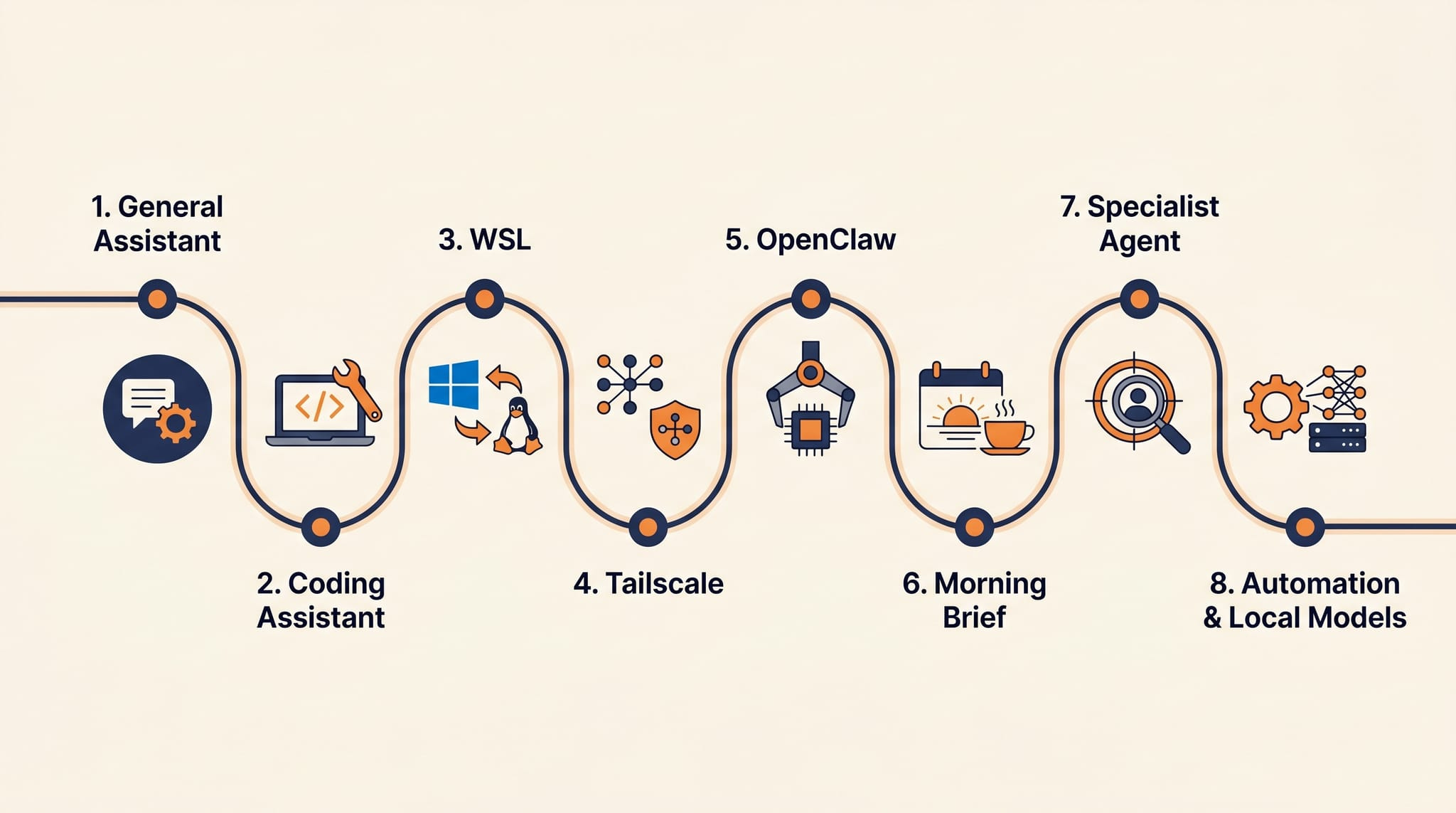
Here is the order I would build in. Do not do all of this in a day. Do one step, then do the next.
- Pick one general assistant and use it for real work for a few weeks. Claude or ChatGPT is fine. You need a feel for what these things are good and bad at before you build anything around them.
- If you code, add one coding assistant. Claude Code is my pick.
- Install WSL on your Windows machine. This gives you a Linux layer to run agent tooling inside. If you are on a Mac, you can skip WSL.
- Install Tailscale. Now you can reach your machine securely from anywhere.
- Install OpenClaw (or a similar agent OS). Connect your email, calendar, and files.
- Connect your Openclaw to Telegram.
- Set up a morning brief. Honestly the highest-leverage single agent you will build. Start there.
- Add one specialist agent at a time. Business, investing, admin, content — whichever matters most to you. Resist the urge to spin up ten on day one. You main openclaw agent can create them for you.
- Only now think about local models, more advanced automations, extra cron jobs, and media tools like Whisper or Nano Banana.
If you get stuck on any step, literally paste this article into Claude or ChatGPT and say “help me do step N on my machine.” That is a completely reasonable way to work in 2026. The LLM is the teacher, the stack is the thing you are building, and this post is the map.
How I stay current
The space moves too fast for theory alone. Hands-on experimentation is most of my learning, but I also keep a narrow feed of people I actually trust.
On X: Alex Finn, OpenClaw, Matt Pocock, David Ondrej, steipete, Ollama, Karpathy.
On YouTube: Alex Finn Official, Creator Magic AI, A Zisk, Dreams of Code, Julian Goldie AI.
If you follow a handful of these and spend two evenings a week actually building, you will be ahead of 95% of people talking about AI online.
The lesson
The biggest lesson I keep coming back to is that this space moves too fast for dogma. Experimentation matters more than theory. The “best” stack today will not be the best stack in six months, and that is fine — the architecture is what lasts, not the specific models plugged into it.
The right stack is the one that gives you leverage, resilience, and room to evolve. Leverage, because it helps you do more. Resilience, because no single provider can break you. Room to evolve, because better models will keep appearing and you want to be able to swap them in.
For me, that means Windows at the base, WSL for the Linux layer, Tailscale for secure access, OpenClaw for orchestration, Claude for work, Claude Code for coding, Ollama Cloud for flexible agents, and local models where they make sense.
That is not just a stack. It is an operating system for work, investing, and life. And it is one Alex would probably tell me to stop describing and start monetising.
What does your stack look like? What have you managed to get AI to do that genuinely surprised you? Reply, or find me on X — I read everything.